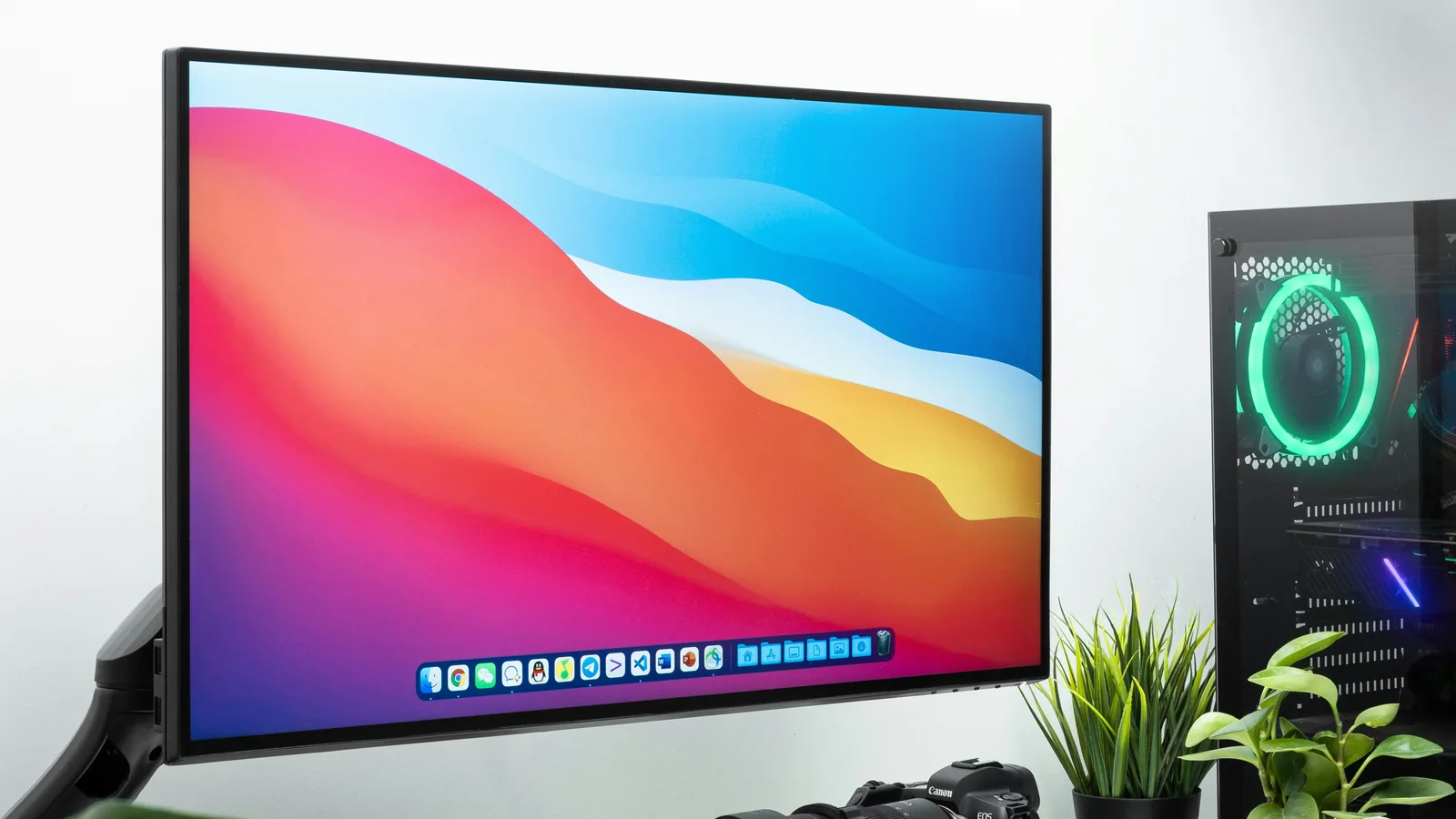
The 27-inch Mac Studio Display is the latest in Apple's lineup of monitors aimed at photographers, creators, and Apple mega fans. Priced at a paltry $1,599 for the standard glass version and $1,899 for the nano-texture glass unit, certain units come equipped with a tilt- and height-adjustable stand costing an extra $400. For anyone looking beyond the logo on the back of the display, however, we offer several alternatives to the Mac Studio Display that will make you forget all about the latest display from Cupertino.
So what makes a Mac Studio Display? Its 27-inch 5K Retina display features a 5120 x 2880 resolution with 218 pixels per inch (PPI), 600 nits of brightness, and a 60Hz refresh rate. You also get a 12MP camera, built-in six-speaker audio, and an on-chip iOS operating system. On paper, the greater-than-4K resolution and built-in iPad and iPhone pairing make it stand out. However, the 60Hz refresh rate, brightness, lack of HDR, and high price tag knock it down a few notches. Another common complaint made famous by YouTubers and social media is the unremovable power cable. To be more accurate, the cable can be forcibly removed, but Apple designed it not to be removed by users. In fact, bundled documentation advises not to remove the cable.
Anyone considering an Apple Studio Display for their main monitor but willing to look outside of Apple-branded products may consider any one of these displays below.
LG UltraFine 5K 27”
| Price | $1,299.99 |
|---|---|
| Resolution | 5K (5120 x 2880) |
| Brightness | 500 nits |
| Response Time | 14 ms |
| HDR | No |
| Speakers | Yes |
| Stand Adjustability | Tilt and Height |
| Camera | Yes |
You aren't seeing double. Yes, the specs for the LG UltraFine 5K are eerily similar to the Studio Display. In fact, the Apple Store delisted the LG UltraFine 5K shortly after the launch of the Studio Display. The Studio Display features 600 nits of peak brightness while the LG unit clocks in at 500 nits. One benefit of the UltraFine, however, is that the stand comes both tilt- and height-adjustable without having to shell out an additional $400.
On the list of similarities, the UltraFine and Studio Display pack the same input/output connectivity, 218 PPI, and both include a camera. At $1,300, the UltraFine makes for a fine alternative to the Studio Display if you don't mind the lack of an Apple badge.
Samsung Smart Monitor M8 32”
| Price | $729.99 |
|---|---|
| Resolution | 4K (3840 x 2160) |
| Brightness | 400 nits |
| Response Time | 4 ms |
| HDR | HDR10+ |
| Speakers | Yes |
| Stand Adjustability | Tilt and Height |
| Camera | Detachable |
If you want a Studio Display but also want a smart TV at the same time, the Samsung M8 fills the void perfectly. Thanks to an onboard chip, the M8 allows you to stream shows and movies on Netflix and other streaming apps. It also works with Google Docs and can join video calls via Google Duo. Like the Studio Display, it can pair with your iPhone, iPad, and Mac to mirror apps.
What makes it different from the Studio Display is a lower resolution and lower PPI, a result of the larger panel. However, it makes up for its shortcomings with HDR10+ certification and a price tag that is half of the Studio Display's. Aside from the panel, you'll also get 2.2-channel speakers, a removable magnetic SlimFit camera that can do face detection, and iMac-like looks.
Dell UltraSharp U3223QE 32”
| Price | $919.99 |
|---|---|
| Resolution | 4K (3840 x 2160) |
| Brightness | 400 nits |
| Response Time | 8 ms |
| HDR | DisplayHDR 400 |
| Speakers | No |
| Stand Adjustability | Tilt, Height, Swivel, and Pivot |
| Camera | No |
For those not familiar with Dell's UltraSharp line of monitors, they represent their top-of-the-line displays aimed at creators and professionals. Unlike their Alienware monitors, these aren't designed with gamers in mind — though that doesn't mean you can't game on them. Like the M8 above, you don't get the 5K resolution and have to settle for a slightly lower PPI, and brightness clocks in at 400 nits. No speakers and no built-in camera also mean that the U3223QE isn't as feature complete.
On the positive side of that trade-off, you have many more connectivity options, including DisplayPort 1.4, USB-C, HDMI, Ethernet, and a built-in 3-port USB 3.2 Gen 2 hub. Unlike the other monitors on this list, it features a built-in KVM that lets you connect two sources and share a keyboard, video display, and mouse — perfect for the user that has both a Mac Studio and Windows PC and switches between both.
BenQ PD2725U 27”
| Price | $949.99 |
|---|---|
| Resolution | 4K (3840 x 2160) |
| Brightness | 400 nits |
| Response Time | 5 ms |
| HDR | DisplayHDR 400 |
| Speakers | Yes |
| Stand Adjustability | Tilt, Height, Swivel, and Pivot |
| Camera | No |
The PD2725U is part of BenQ's premium DesignVue monitors aimed at creators and Mac users. It comes equipped with two Thunderbolt 3 ports — one input and one output — specifically for daisy-chaining displays. Like the Dell unit above, the BenQ features a built-in KVM controlled by the bundled Hotkey Puck G2. The BenQ is also DisplayHDR 400 certified and has the useful DualView mode, which displays two different video modes side-by-side for comparison purposes. Priced at $950, it offers plenty of features for nearly half the price of the Studio Display.
ASUS ProArt PA329C 32”
| Price | $1,099.00 |
|---|---|
| Resolution | 4K (3840 x 2160) |
| Brightness | 600 nits |
| Response Time | 5 ms |
| HDR | DisplayHDR 600 |
| Speakers | Yes |
| Stand Adjustability | Tilt, Height, Swivel, and Pivot |
| Camera | No |
ASUS' ProArt line of premium monitors also contains one or two alternatives to the Studio Display. Unlike the other displays so far, it matches the 600 nits of peak brightness found on the Apple monitor. It also comes with VESA DisplayHDR 600 certified HDR10 and a load of ASUS ProArt color presets. For creatives, the PA329C features what ASUS claims is true-to-life color and allows users to fine-tune color accuracy. However, you won't find a camera nor any mirroring functionality or built-in operating system. The stand, however, stands out with tilt, swivel, pivot, and height adjustability. At $1,099, it offers superior color accuracy at a fraction of the price.
When money is no object: ASUS ProArt PA32UCG-K
| Price | $4,999.00 |
|---|---|
| Resolution | 4K (3840 x 2160) |
| Brightness | 1600 nits |
| Response Time | 5 ms |
| HDR | DisplayHDR 1600 |
| Speakers | Yes |
| Stand Adjustability | Tilt, Height, Swivel, and Pivot |
| Camera | No |
Wondering what kind of display you can purchase if money were no object? ASUS' ProArt line has the answer. Look no further than the $5,000 ProArt PA32UCG-K. For the money, you get Mini LED backlighting with 1,152 dimming zones, allowing for deeper blacks and better contrast. Brightness is enhanced thanks to 1600 nits of peak brightness (be sure to have your sunglasses ready), and 120 Hz motion with support for AMD FreeSync. Unlike the other monitors above, the PA32UCG is marketed not just to creatives, but to game developers and video editors specifically. However, with its $5,000 price tag, you'll want to make sure you can have it expensed.